






Note: Only the owner or the manager account can do this
Các bước thao tác: Following these steps:
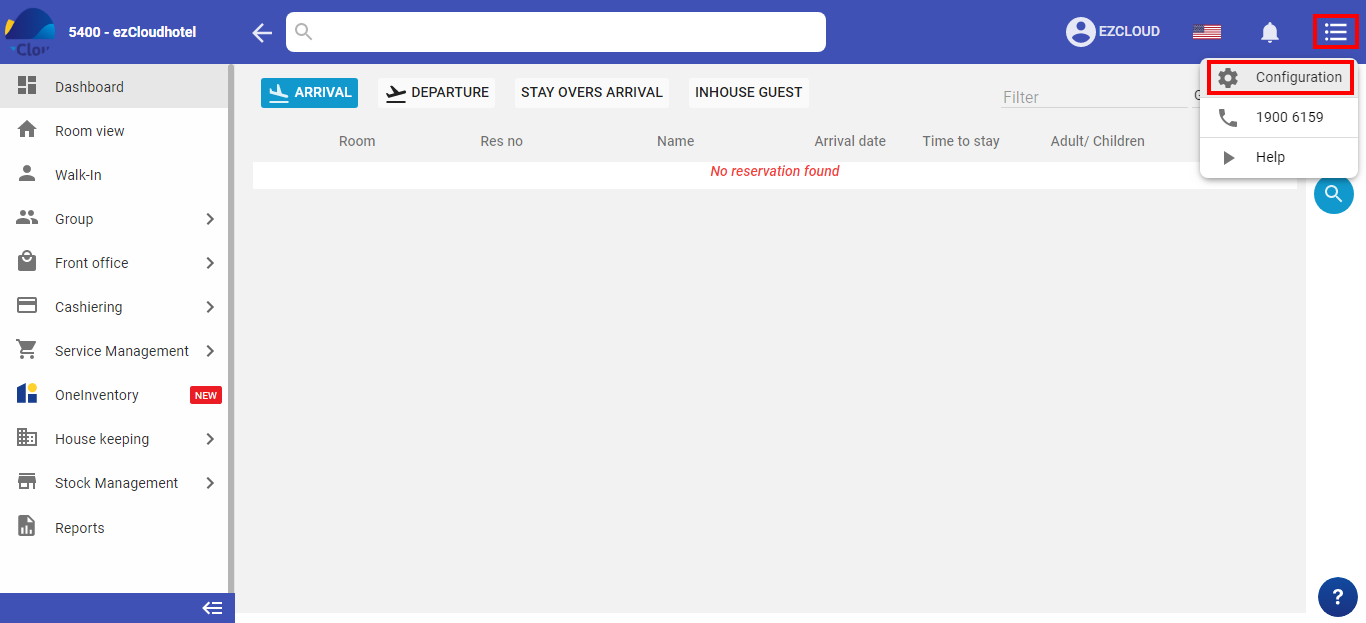
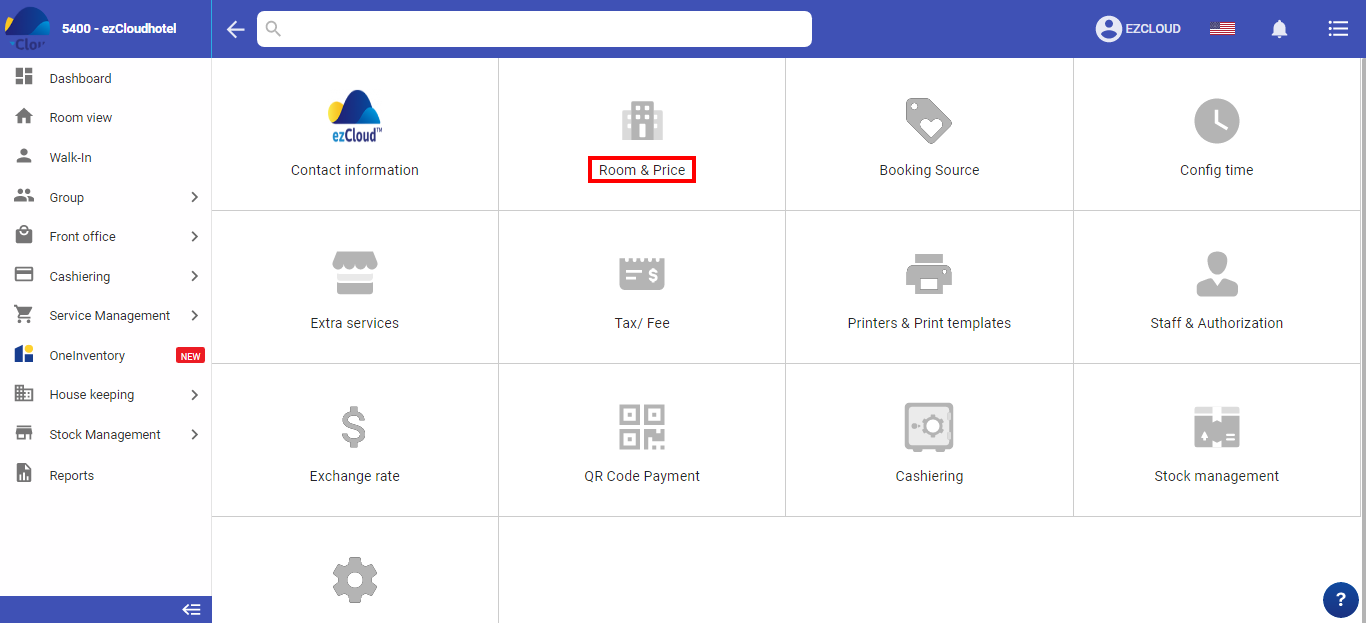
Select the 3-tile icon  > select configuration>select Room & Price > select Room/Bed
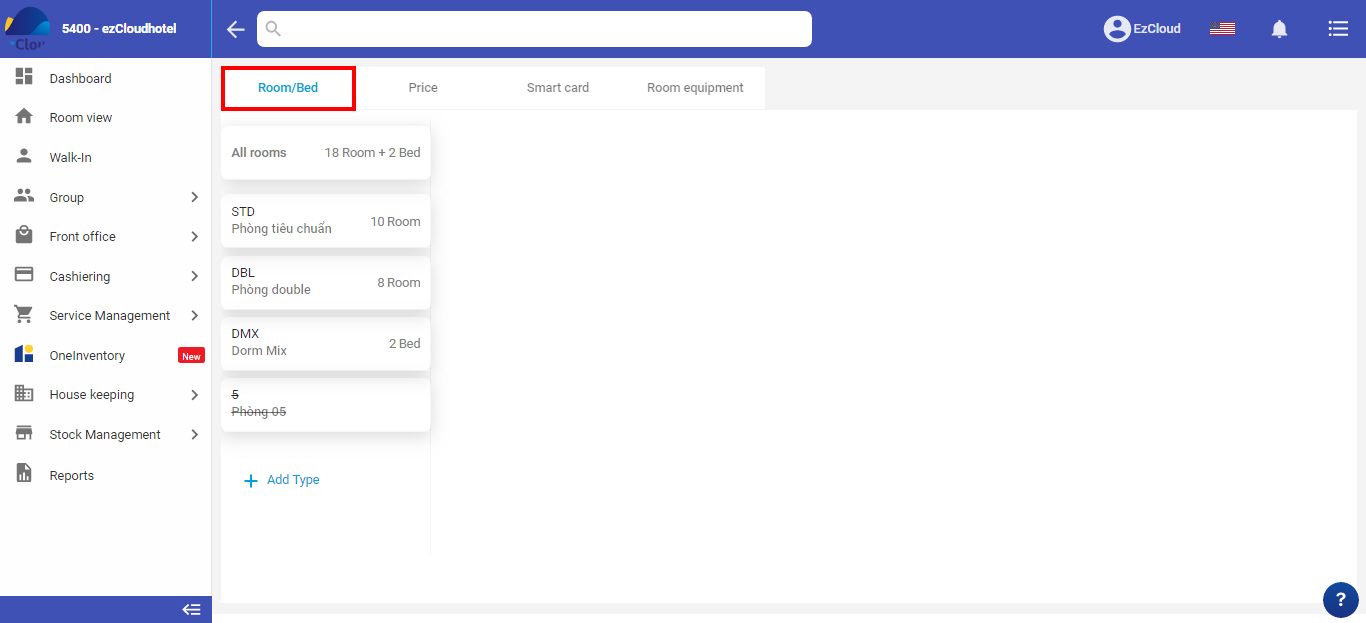
The layer names will be displayed in the chart in detail and simple charts
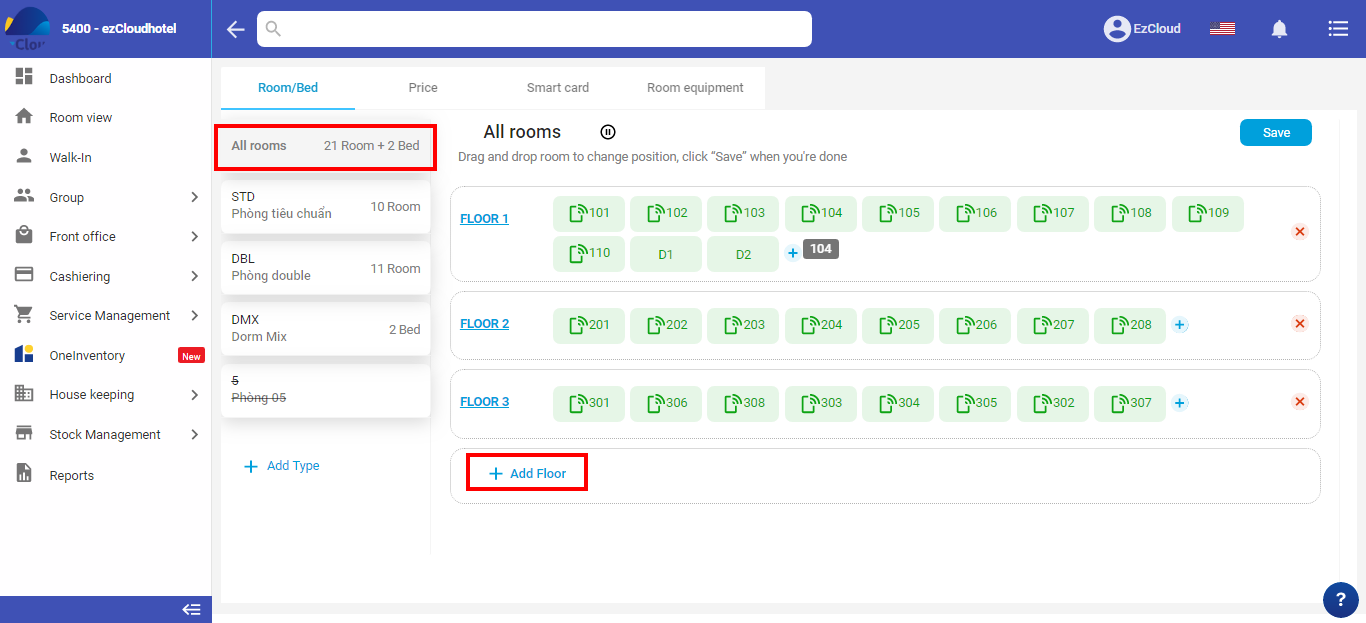
Select all > select add floor > fill name/floor of number > Save
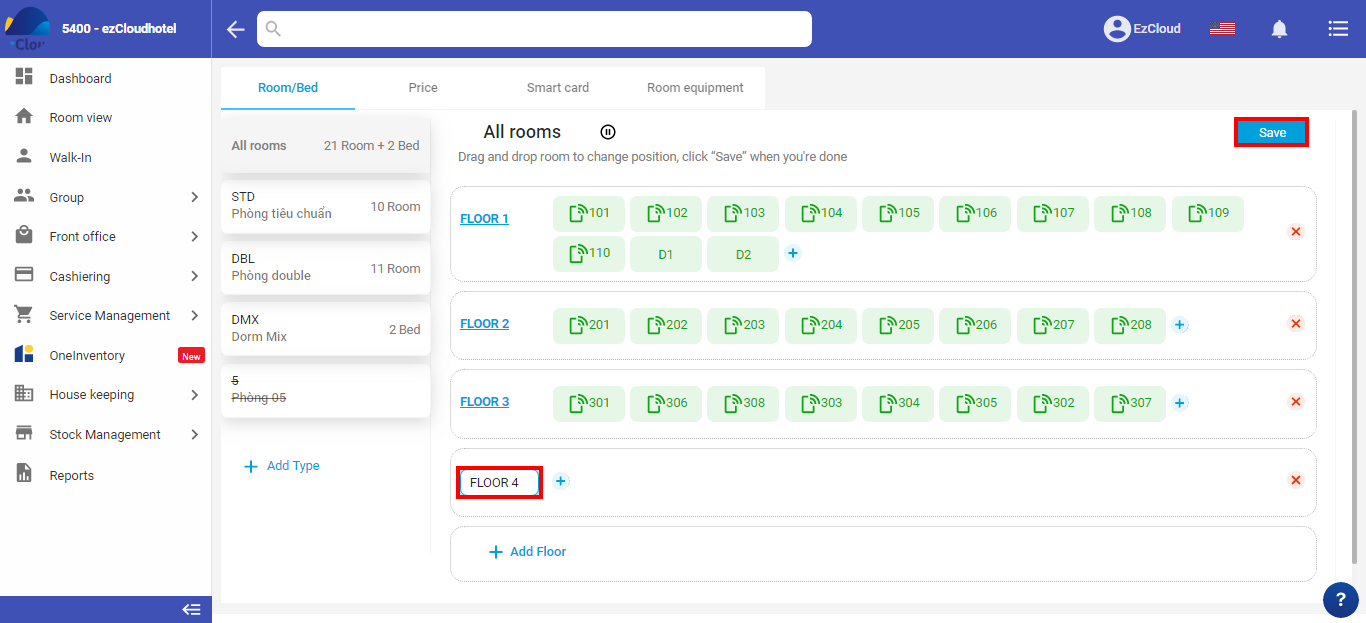
Select all > select edit floor > fill name/ number of floor > Save
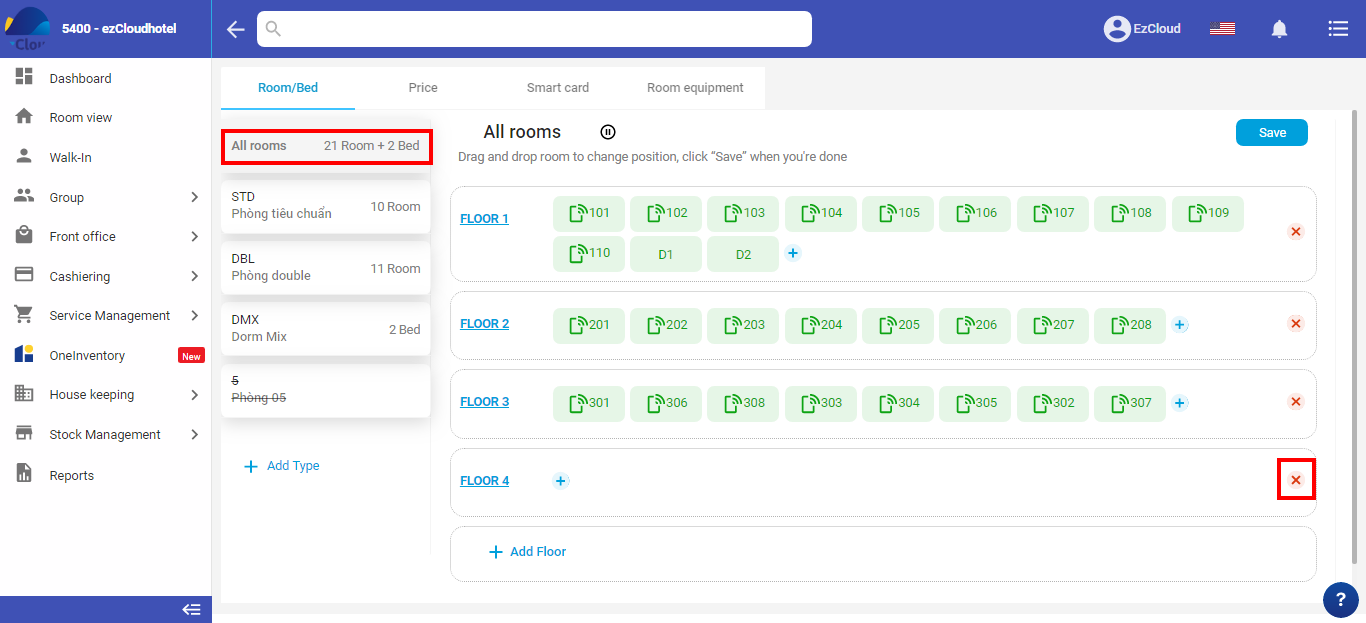
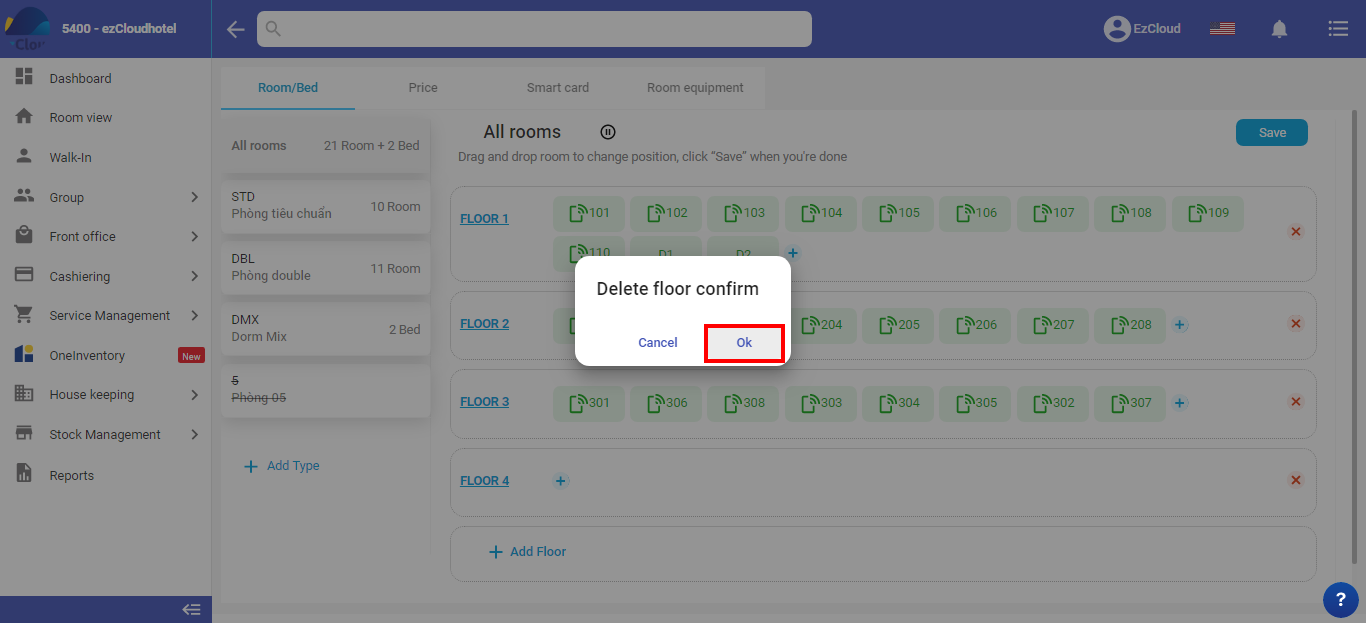
Only perform when the available floor, without related rooms
Select All > select a room to delete> select  to delete