






The hotel can add, edit, delete the service as desired
Note: Only the owner or the manager account can do this
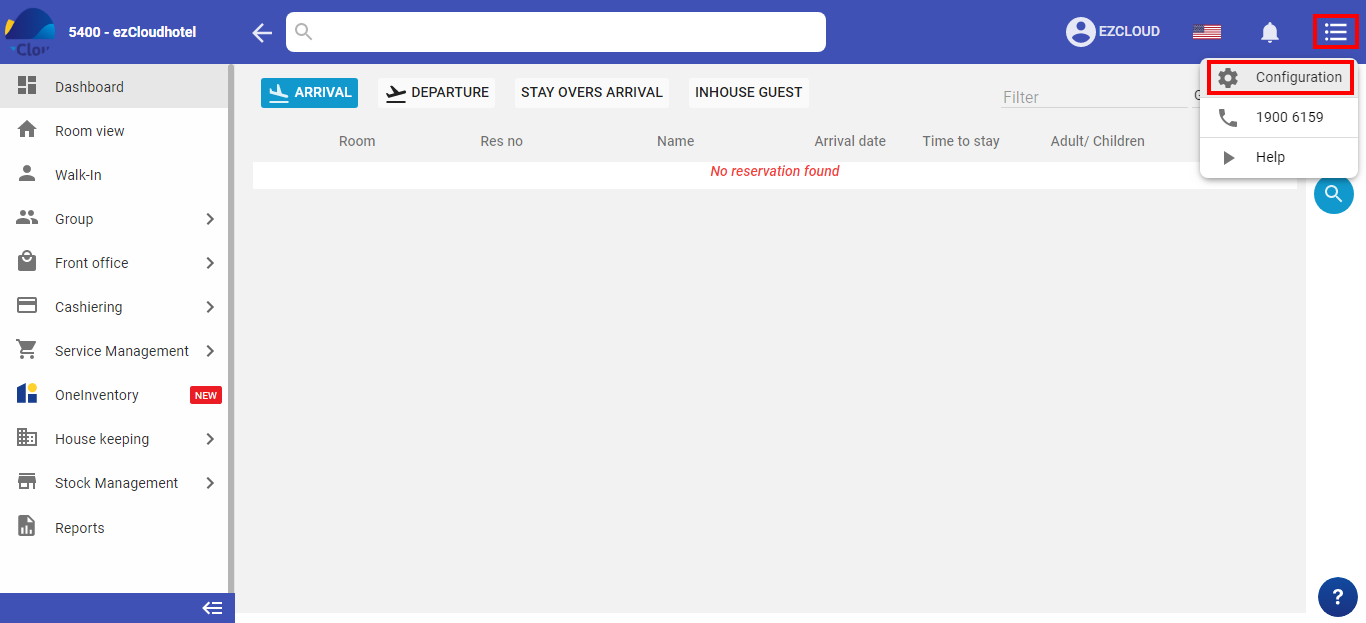
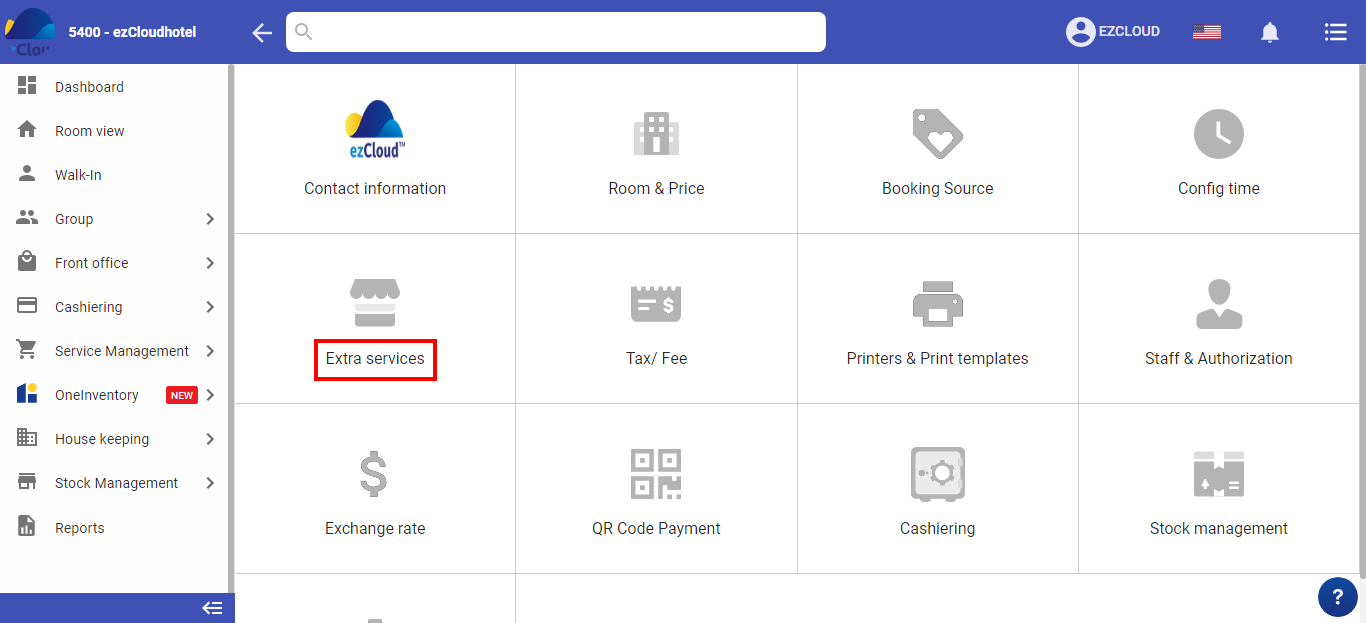
Select the 3-tile icon  > select configuration>select Service
The service management is the following:
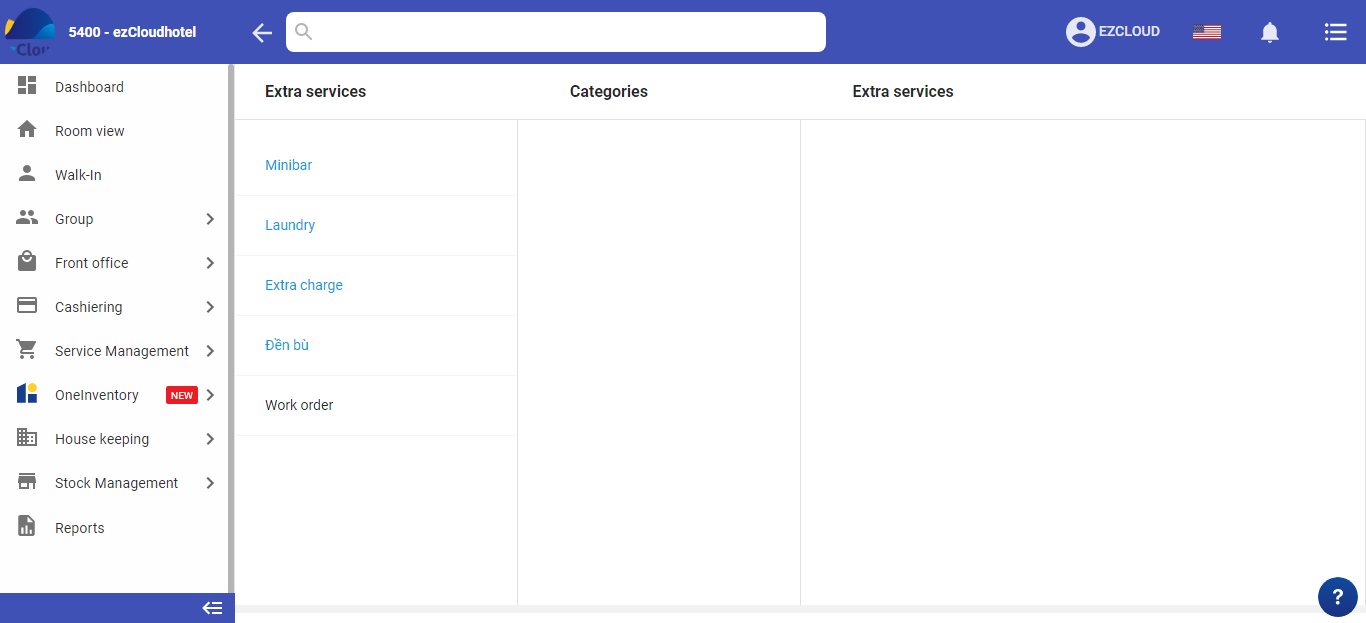
Select in that service > services > add service
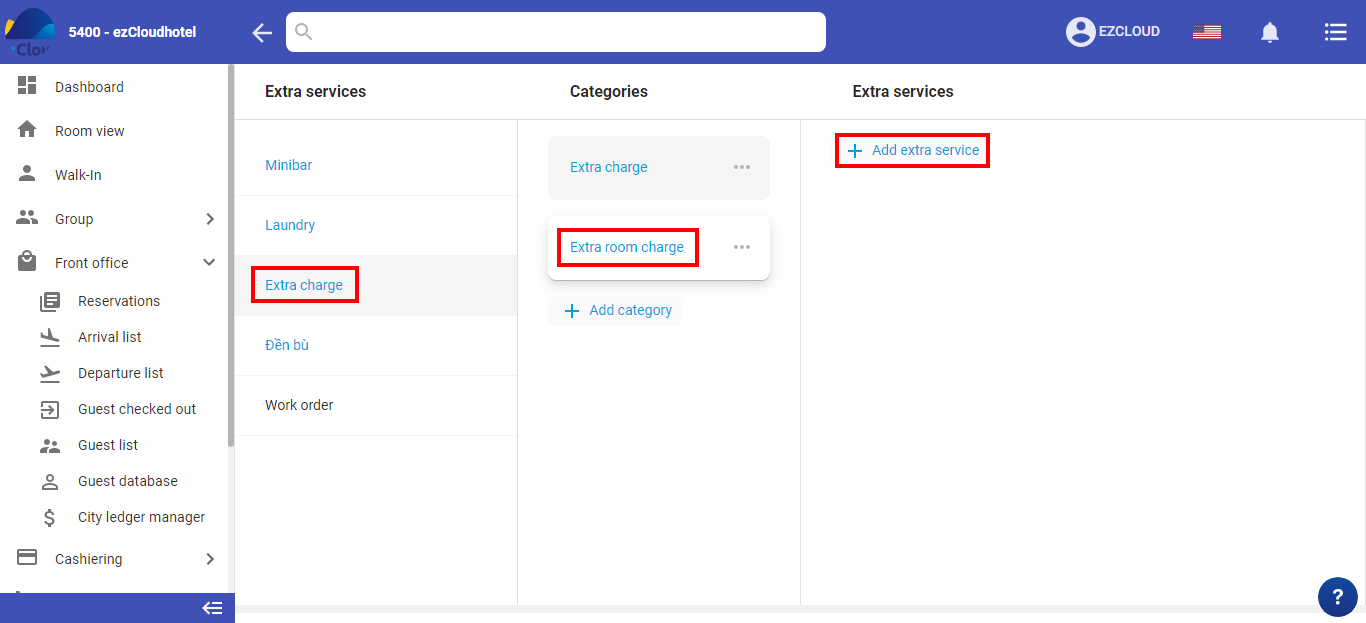
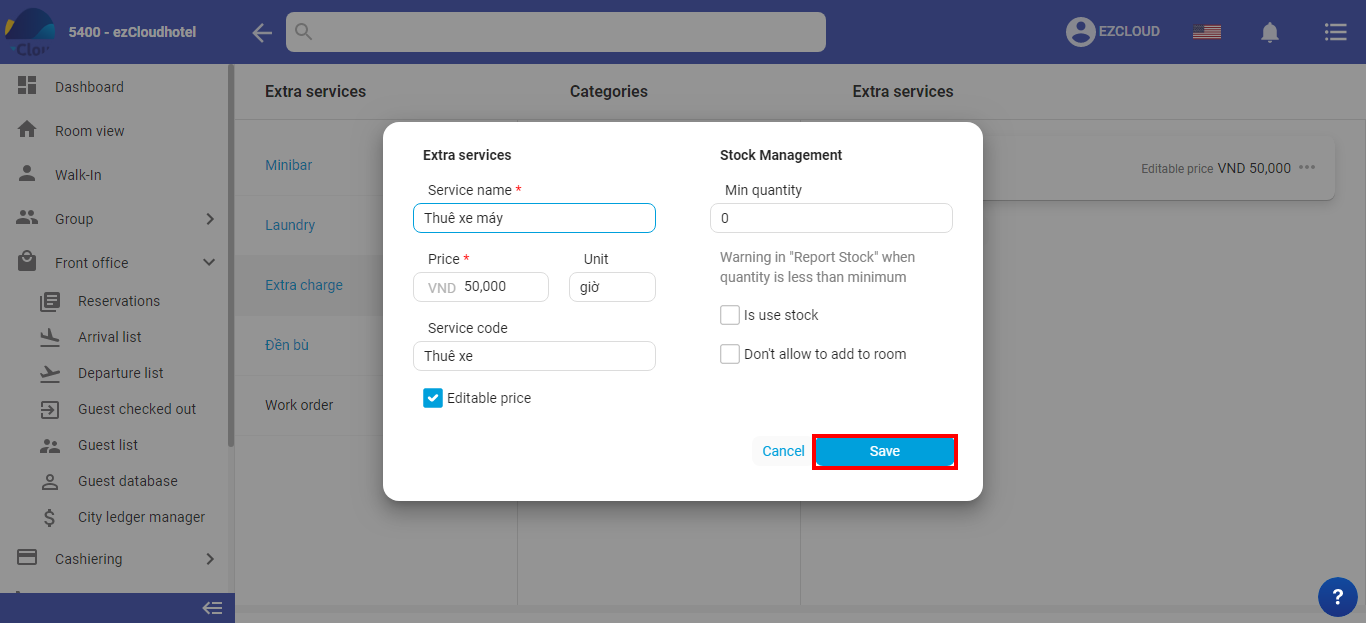
Additional service is the following:
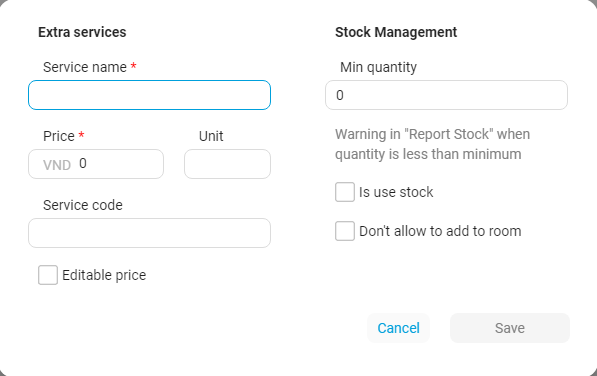
Add the name of service, Rate, Unit, Code, tick/un-tick rate
Amout of minimum: Warning in the ” warehouse report” amount of less than amount of minimum
Warehouse management: the service will exclude the quantity when used to output the inventory number
Without to added invoices: the service will not be in room service as sale counter when tick to choose
When you finish > Save
Select in that service > services > select modify service > appear service details
The hotel can re-edit name of service, rate, Unit, Code, tick/un-tick rate, amount of minimum, fill warehouse manage, without to add invoice > Save
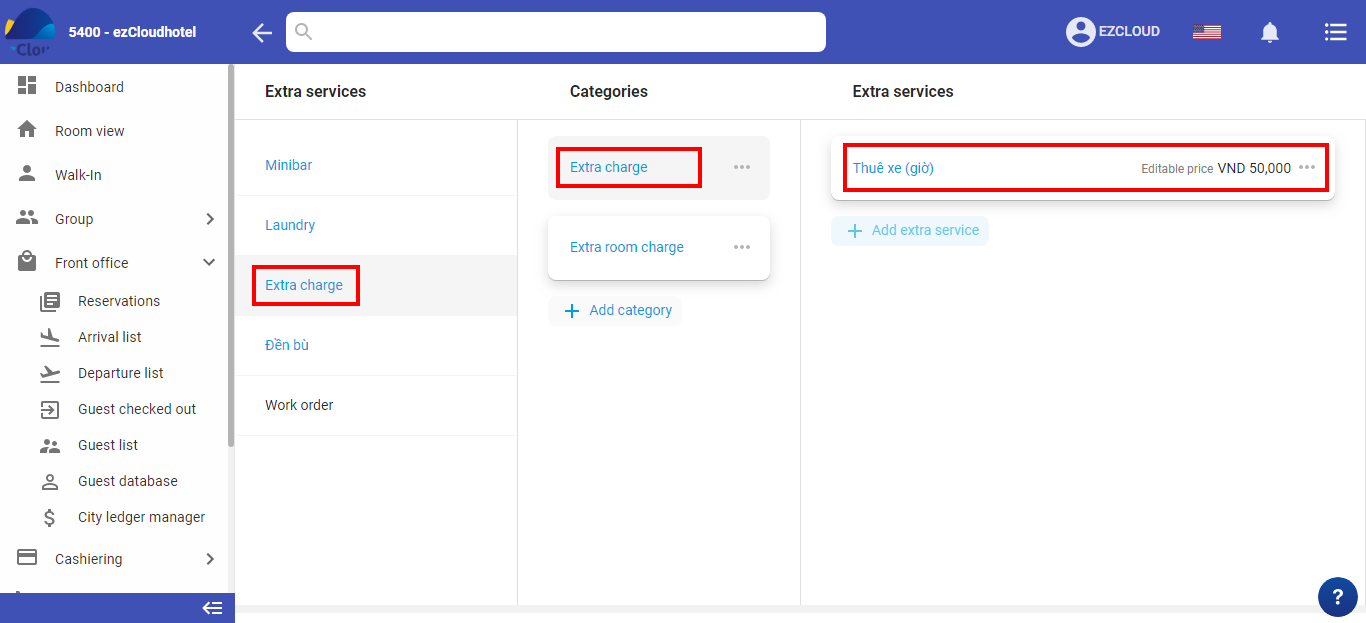
Only done when the service hasn’t been used.
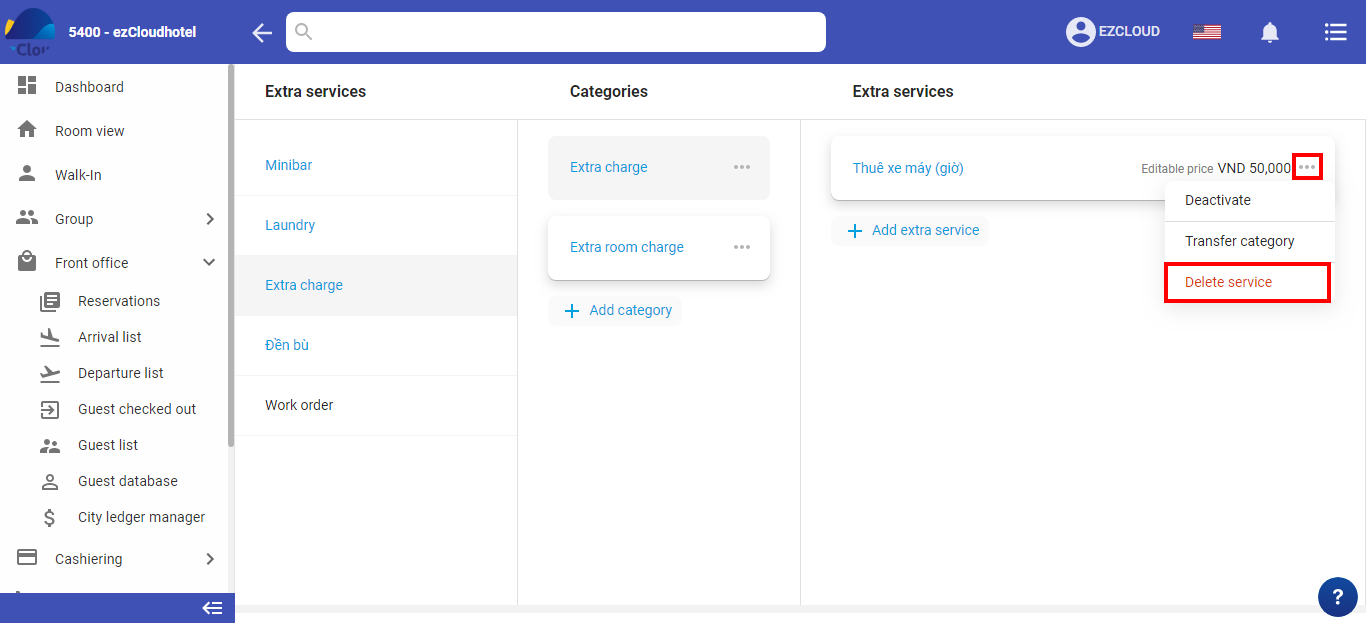
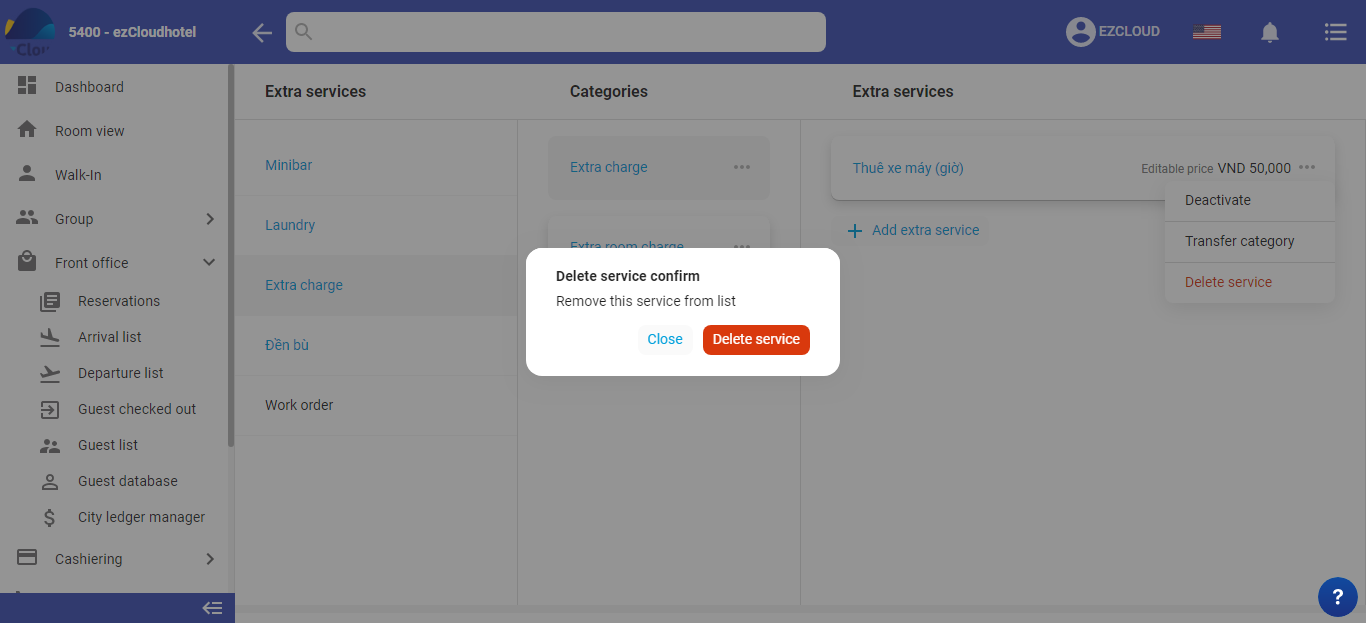
Select in that service > services > select delete service > select  > Delete service > Ok
When that service has been used & can not be deleted however the hotel wants to show up in booking detail & sale management.
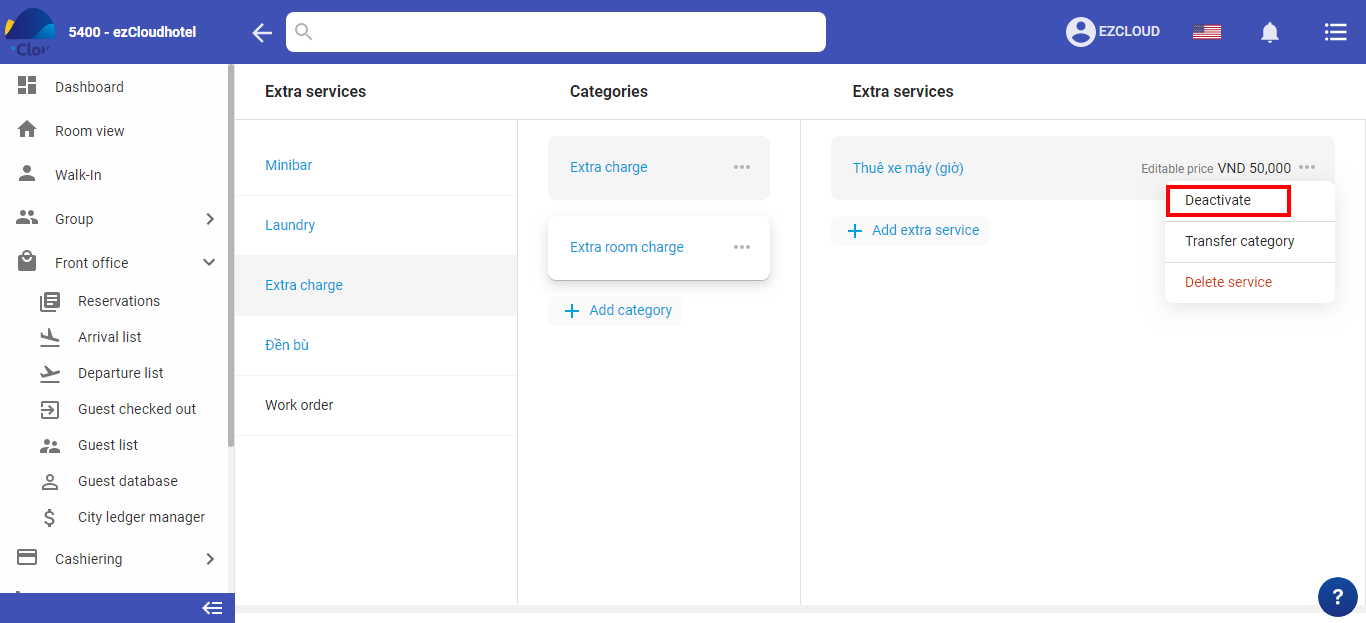
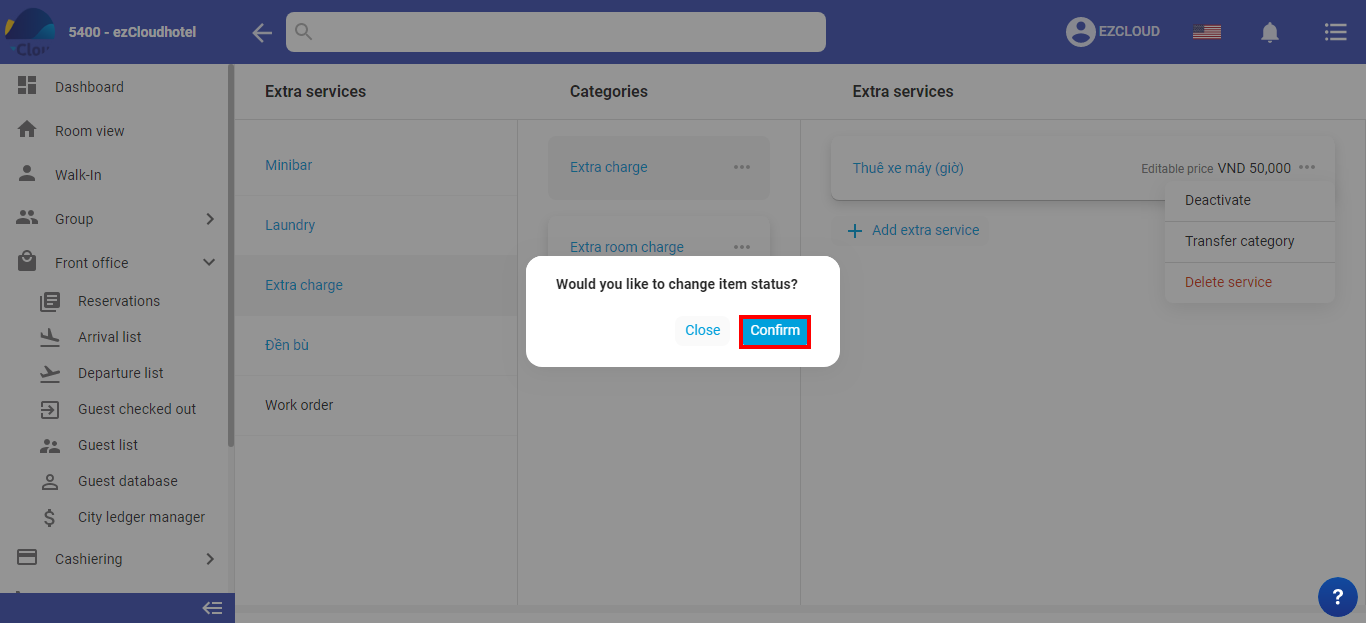
Select in that service > services .> Select deactivate service > select > select deactivate > Ok