






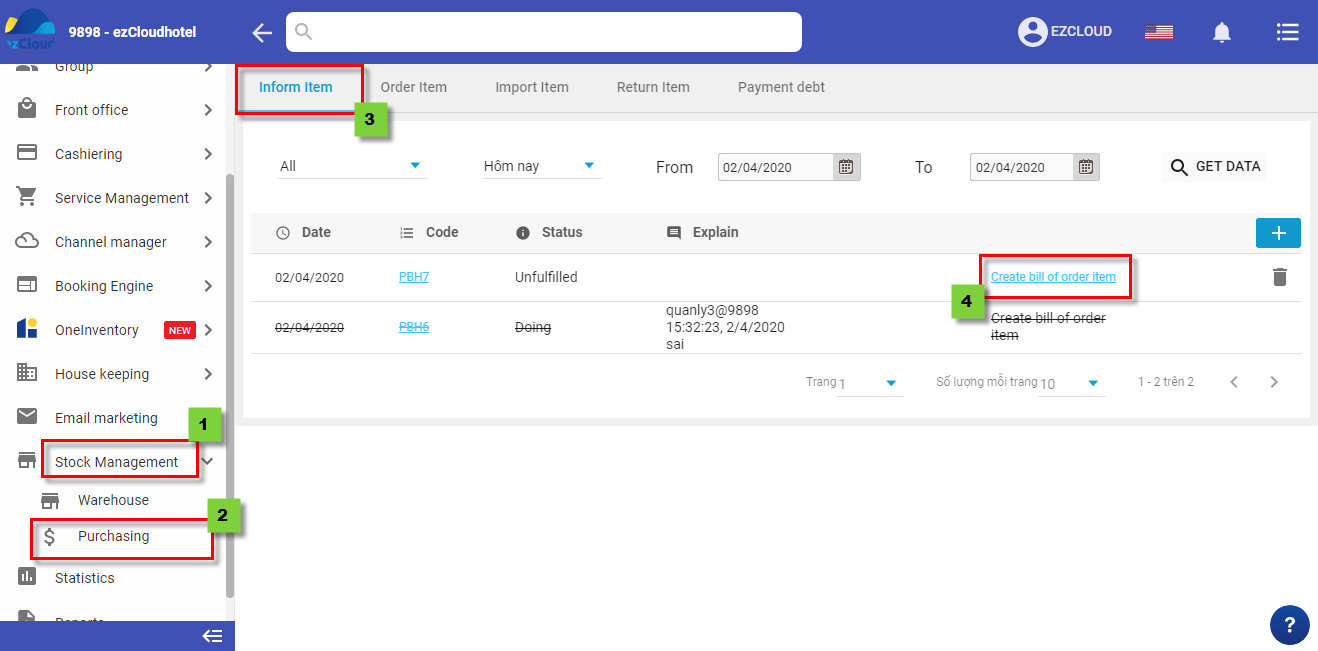
When receiving the inform item note, you will carry out Order item
There are 2 method
 to create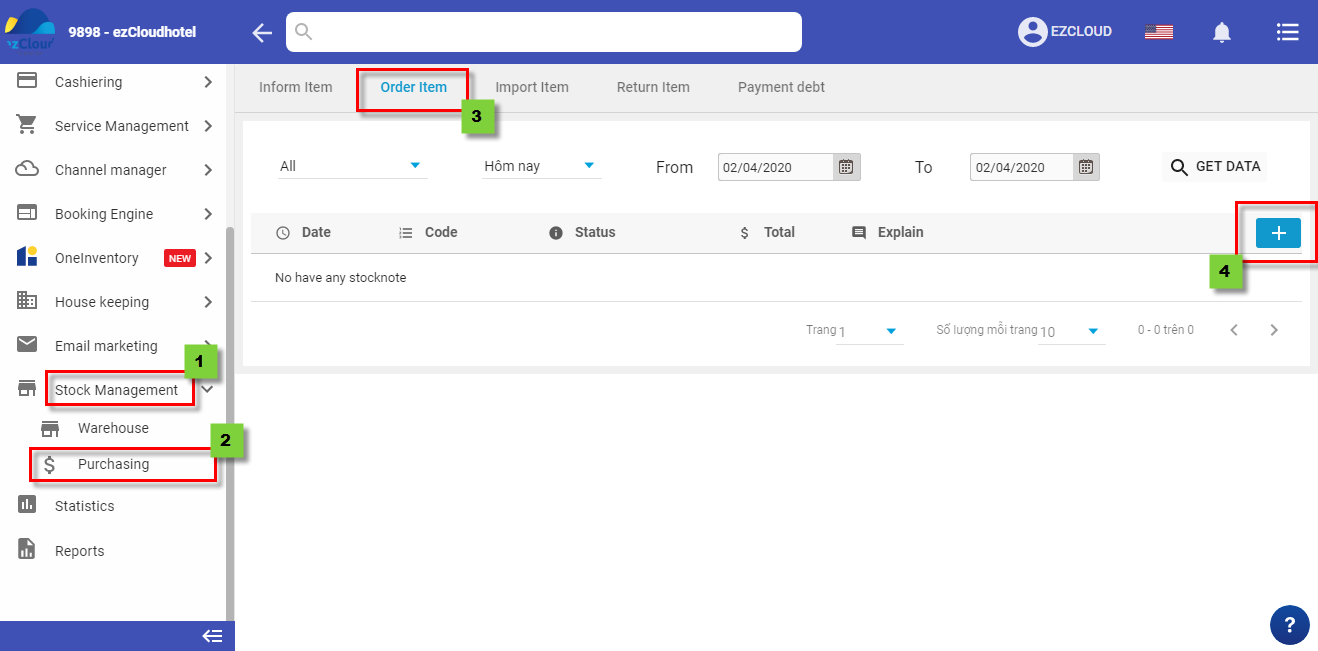
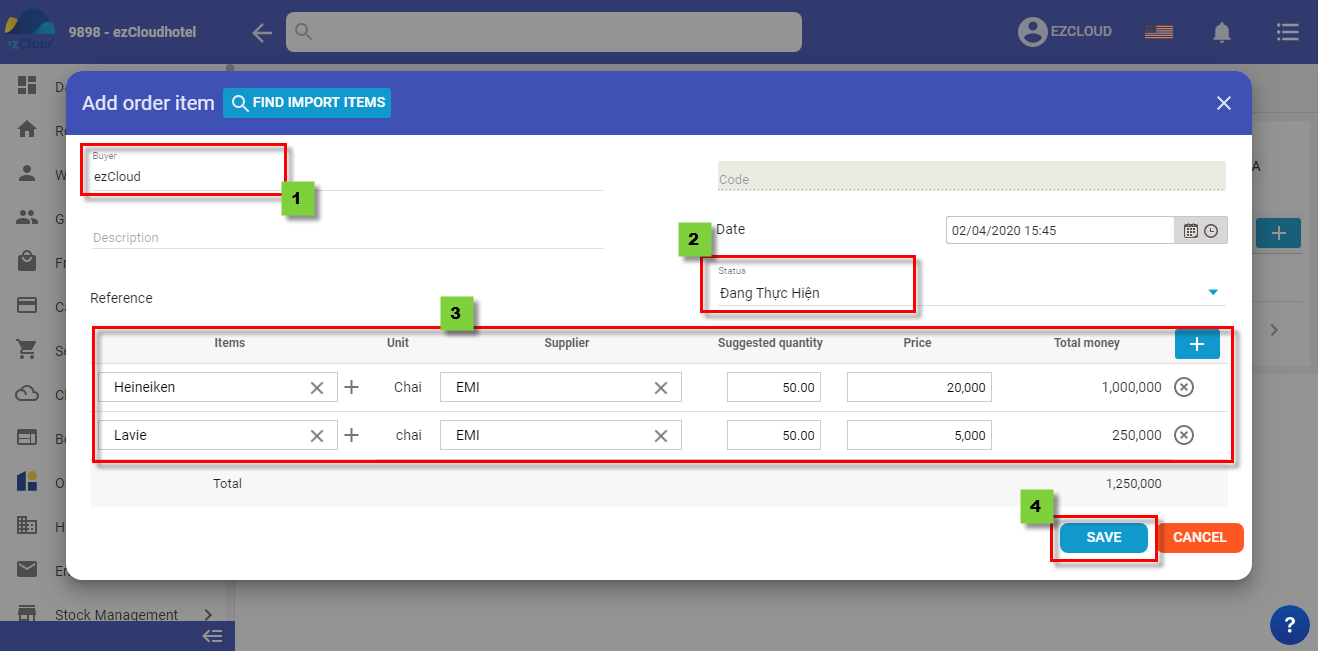
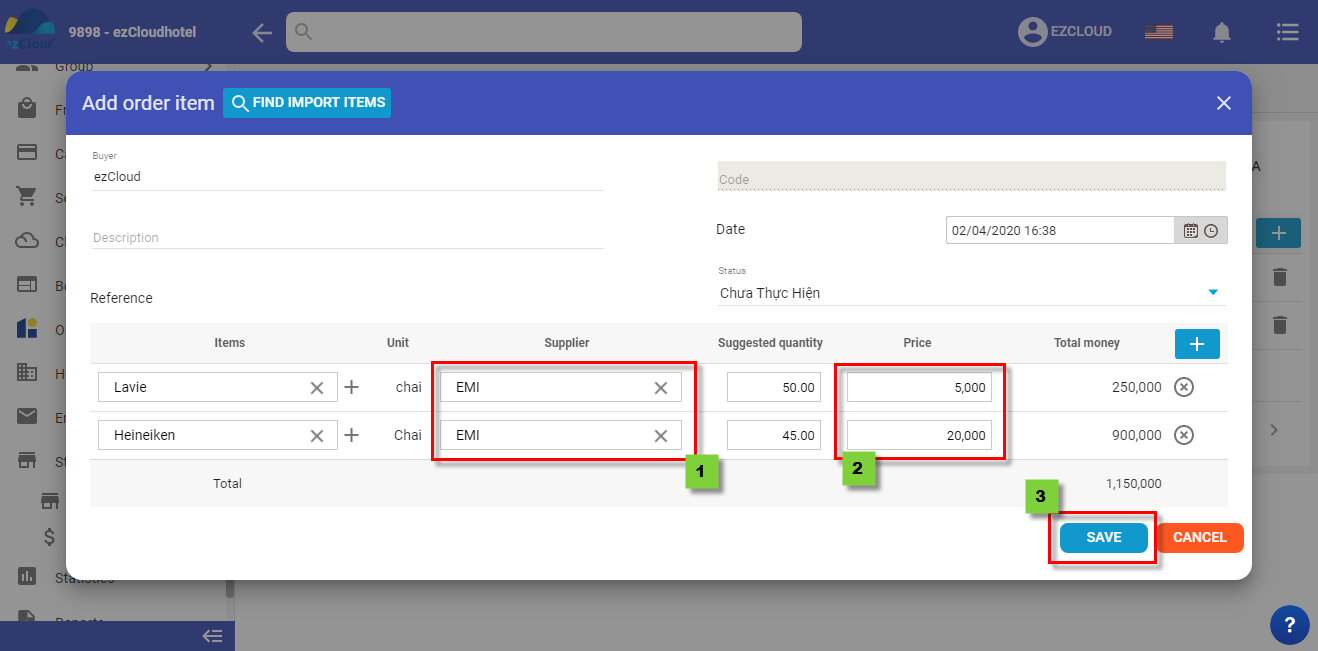
select Buyer > Status > enter Items, unit, supplier, suggested quantity, price, total money, selectto add more needed item > Save to finish
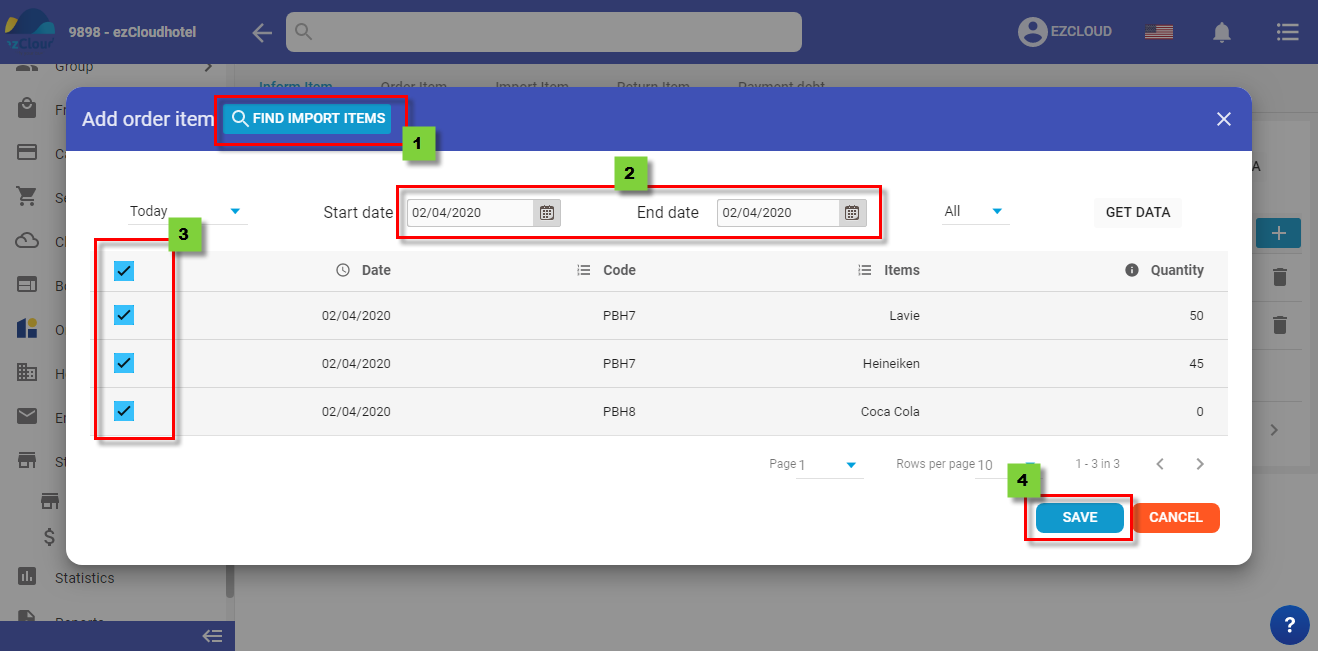
Beside, if you would like to add the item from created inform stock note, select Find Import Items > select date range>select item> Save
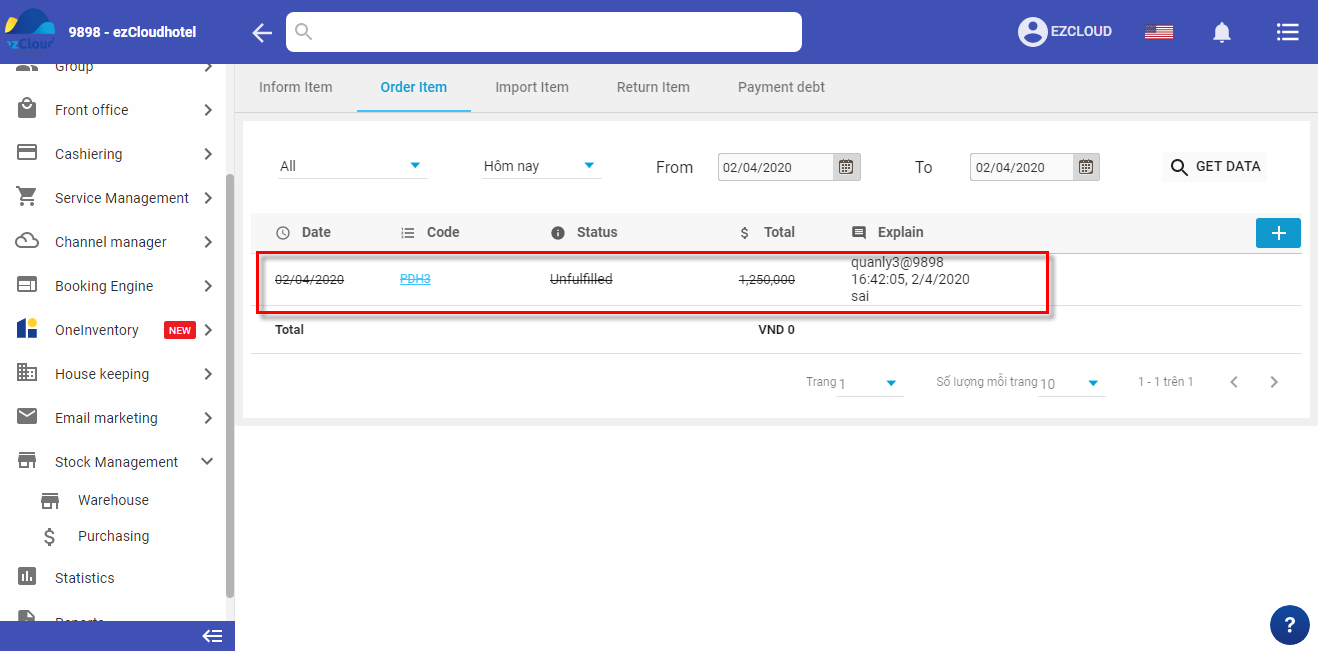
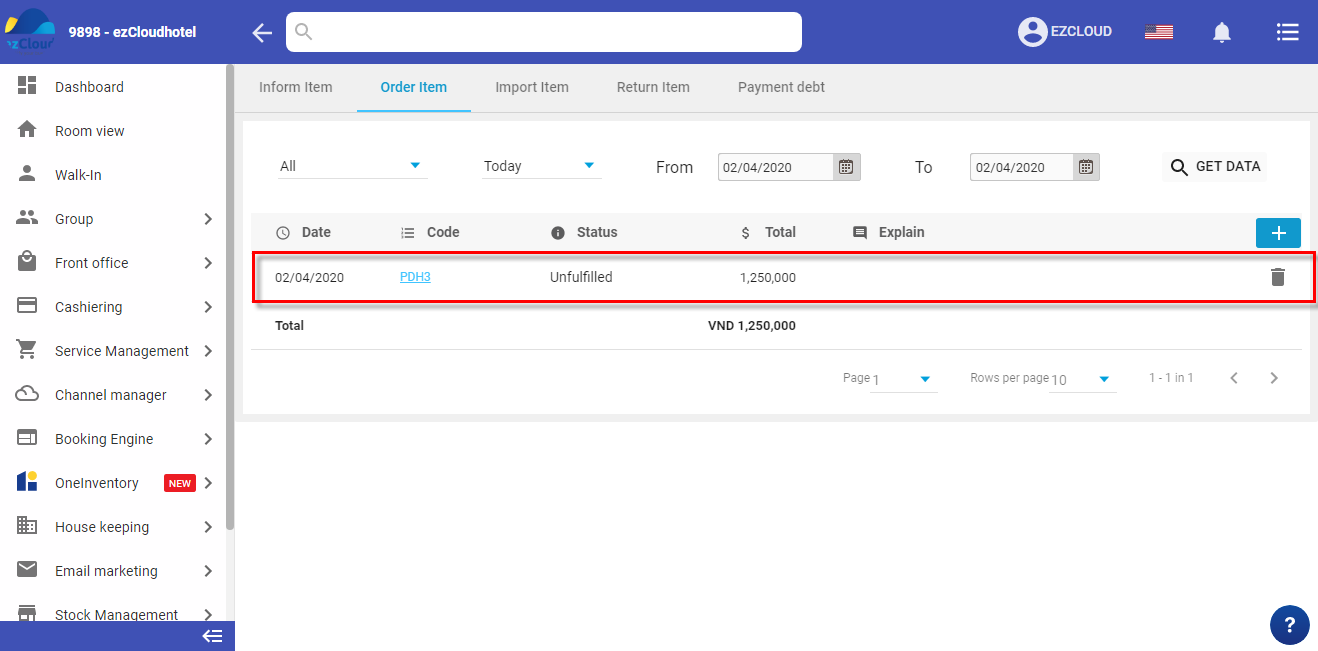
The below picture shows the interface after finish creating order item note
In add order item interface, select supplier and Save to finish
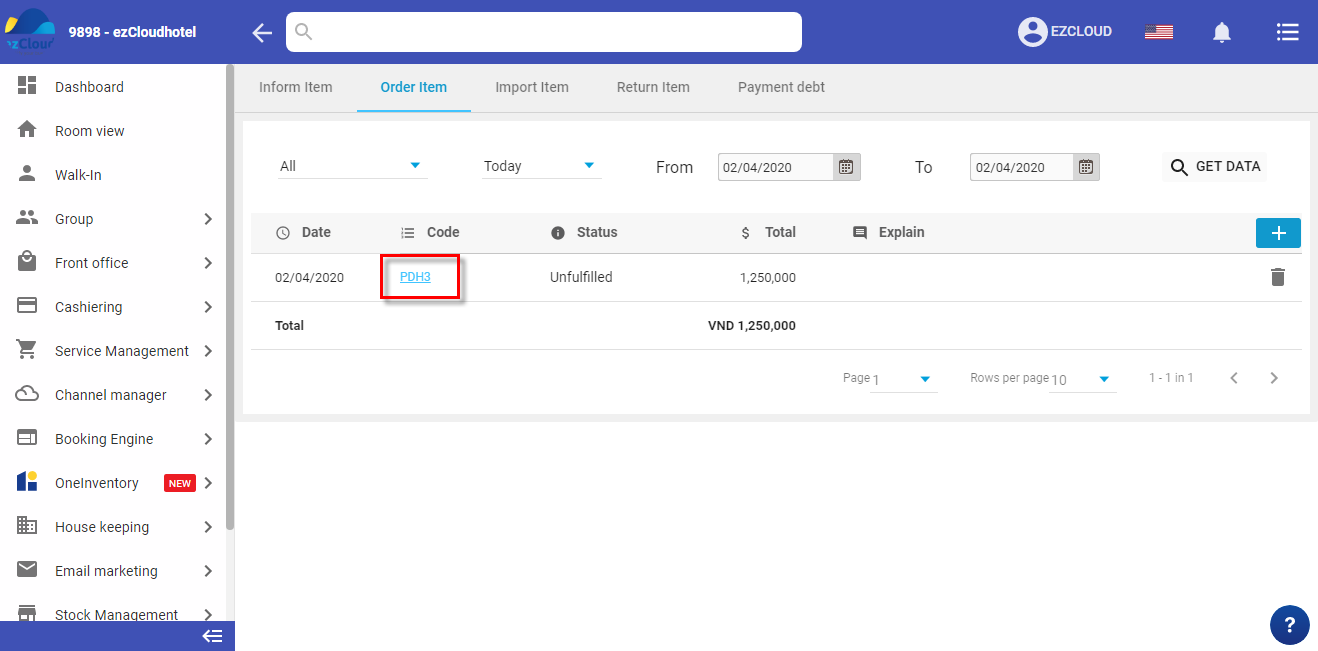
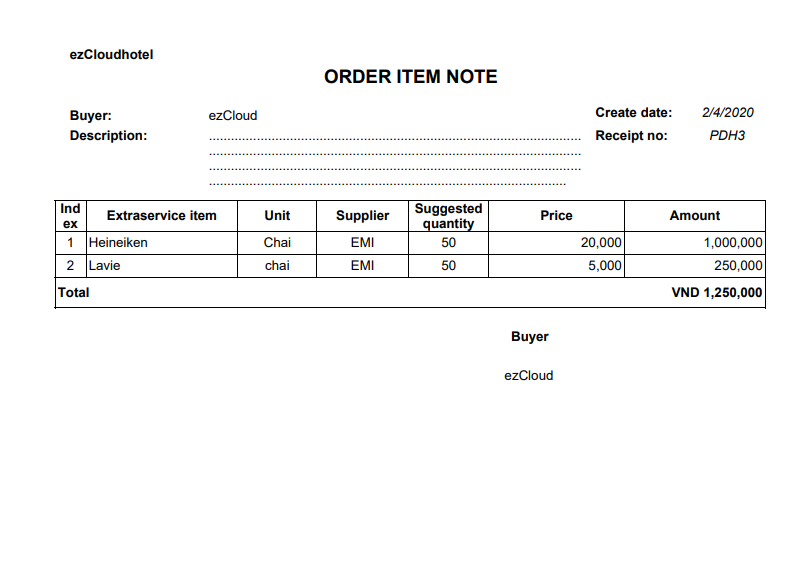
 to print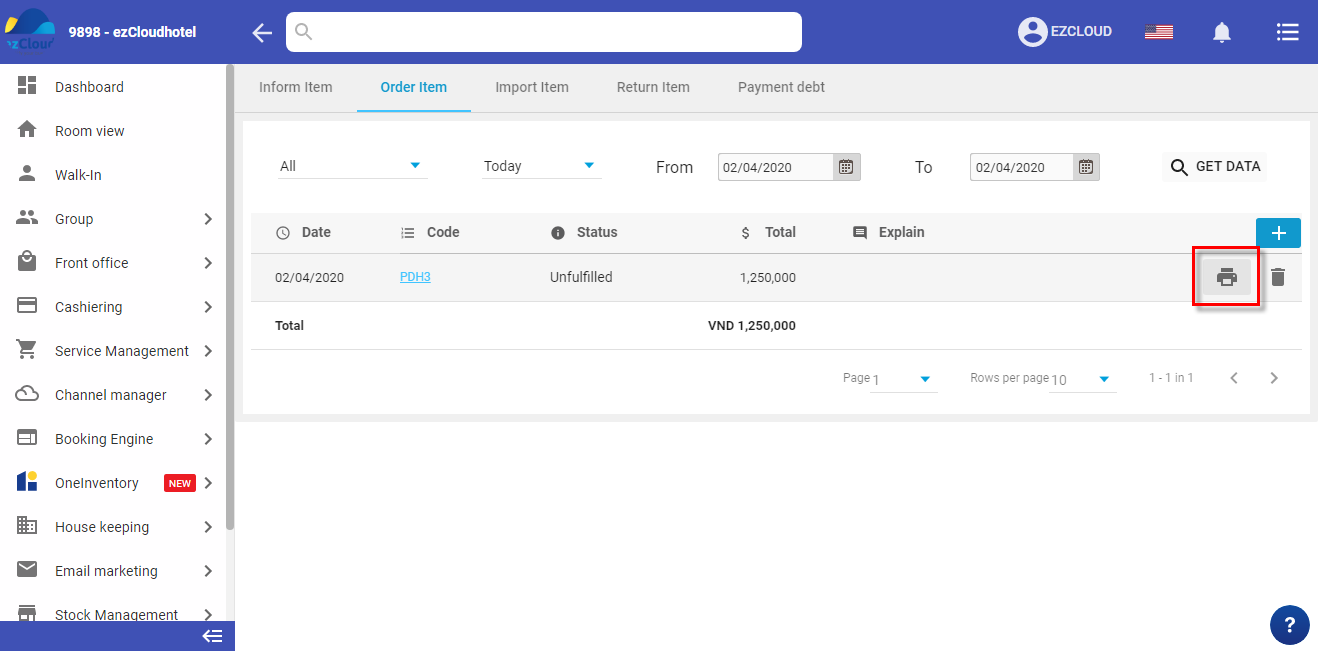
 > Enter the reason > Ok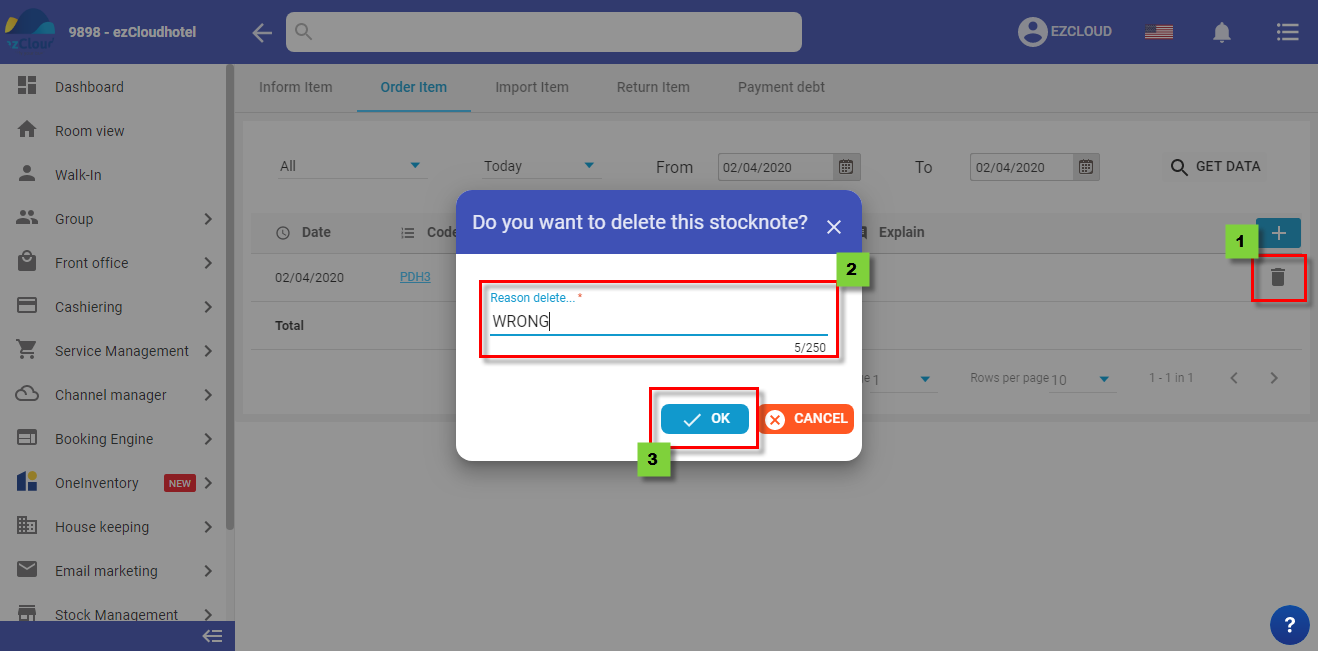
The below picture show the interface after finishing