







To create an email with wish to be sent to the guess, we need to configure the sample email.
At the moment ezCloud has 4 sample email ( only can modify, unable to delete). You can create more marketing email.
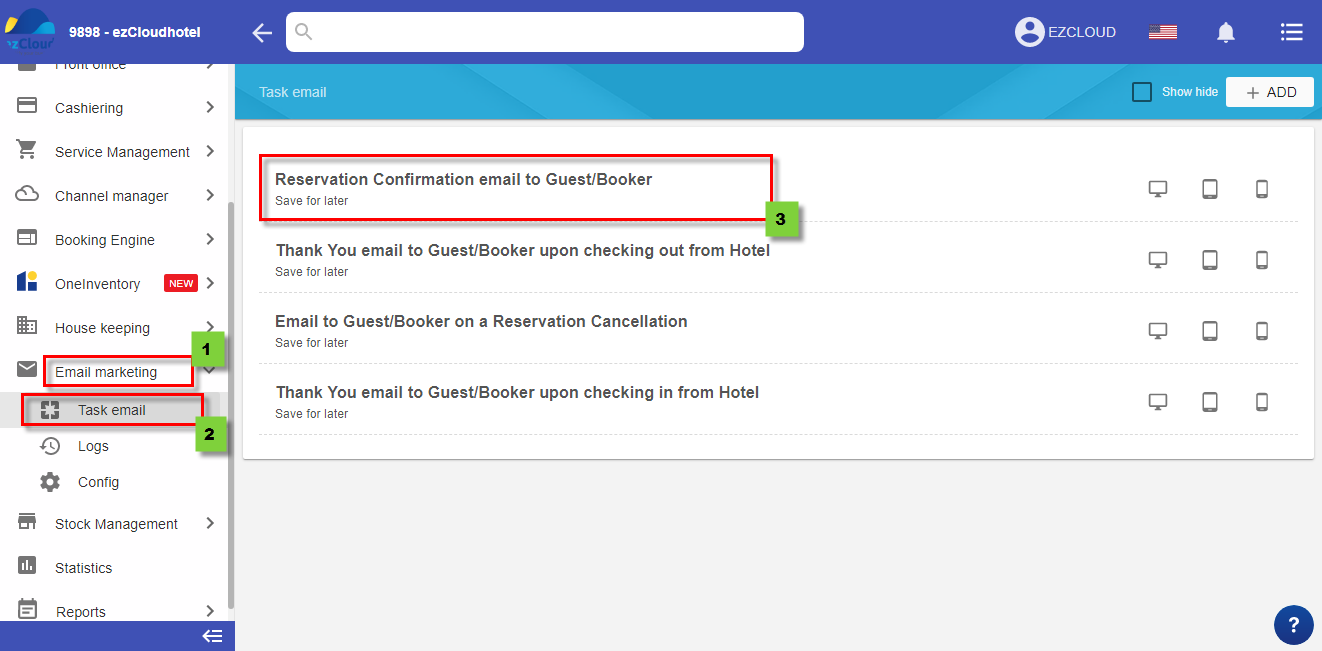
+ All yellow information is the information which pulled and exported automatically when you send an email for guess
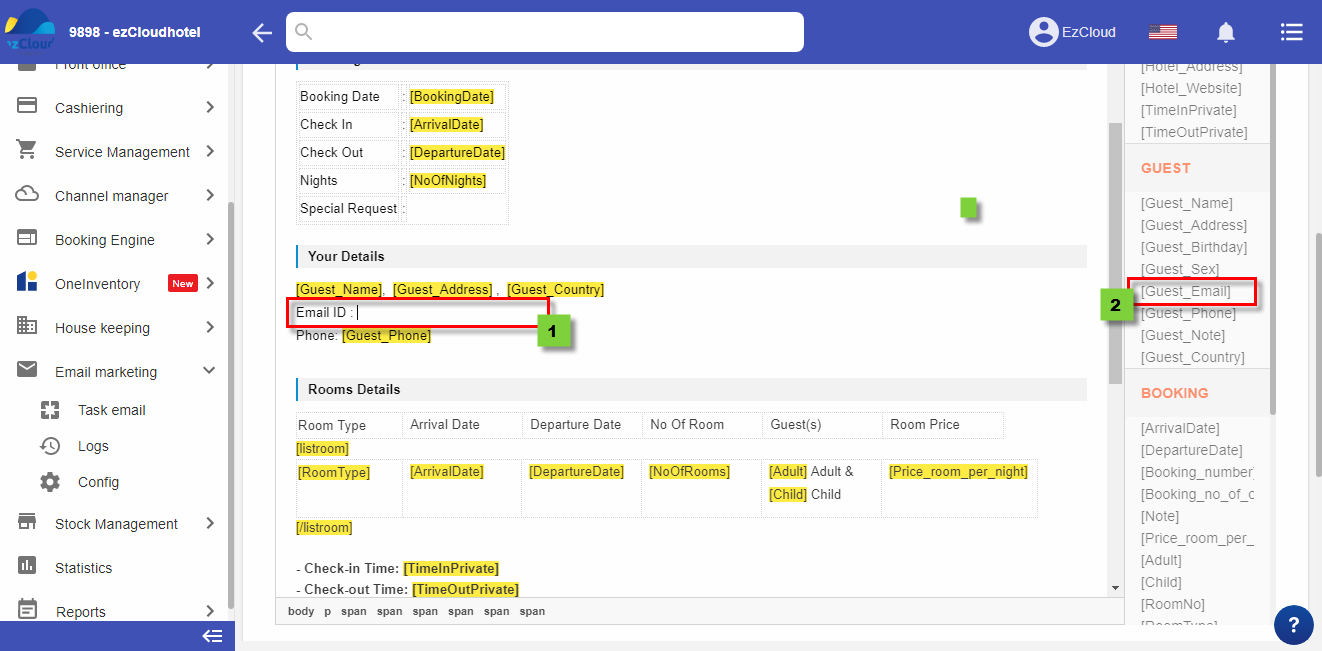
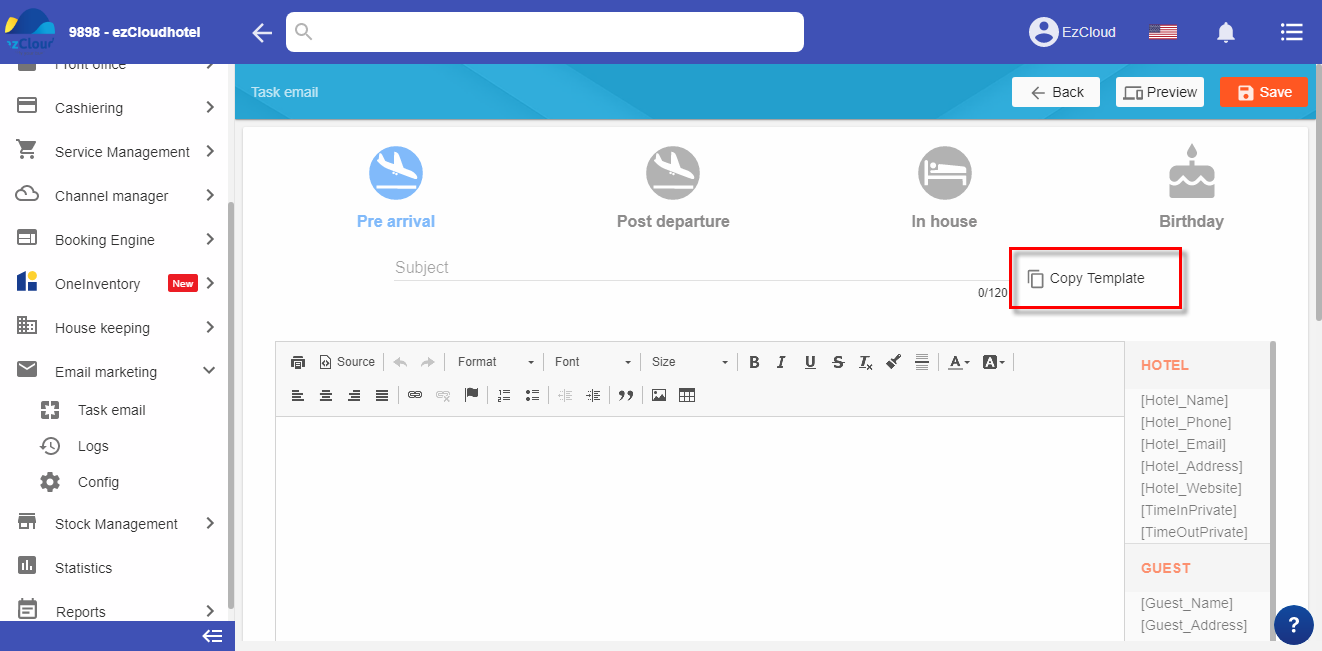
+ If you wish to modify other information and get data from argument section, enter these information> Click at where you need to add argument> Select argument
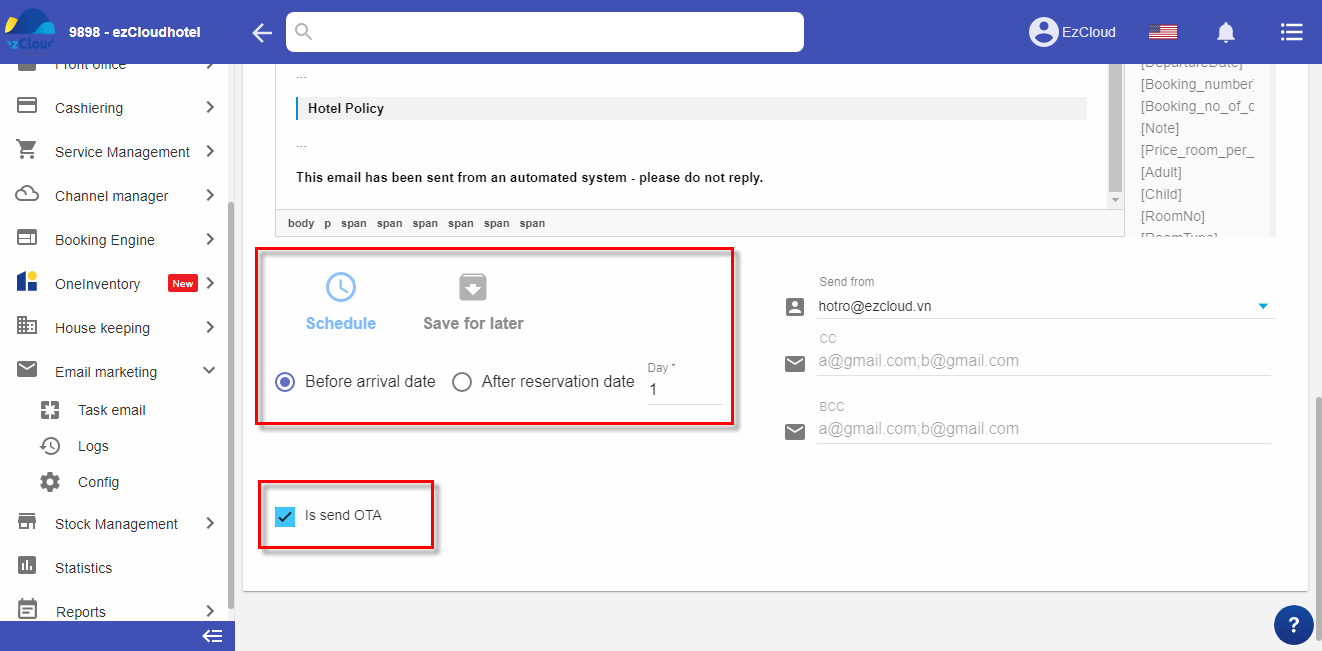
+ Schedule: An email will be automatic sent for guess before or after n day( n can be set)
+ Save for later: The hotel will active send email for guess when they need
(to send email for guess, guide is here https://help.ezcloudhotel.com/en/eng-sending-email-for-guess/ )
+ Aplly for CMS: mean an email will automatic send for the booking from OTAS when the booking pulled back to the software ( Only apply for the hotel which are using ezCMS)
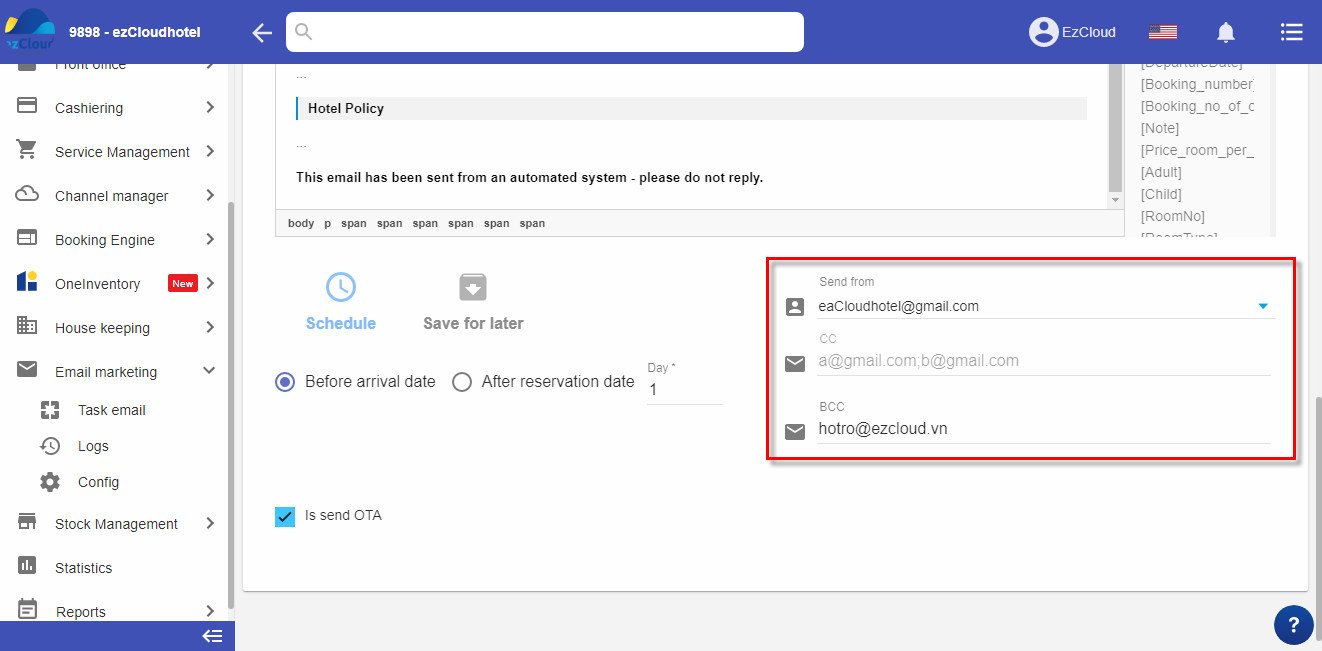
Click Preview to view email> Select Save to complete
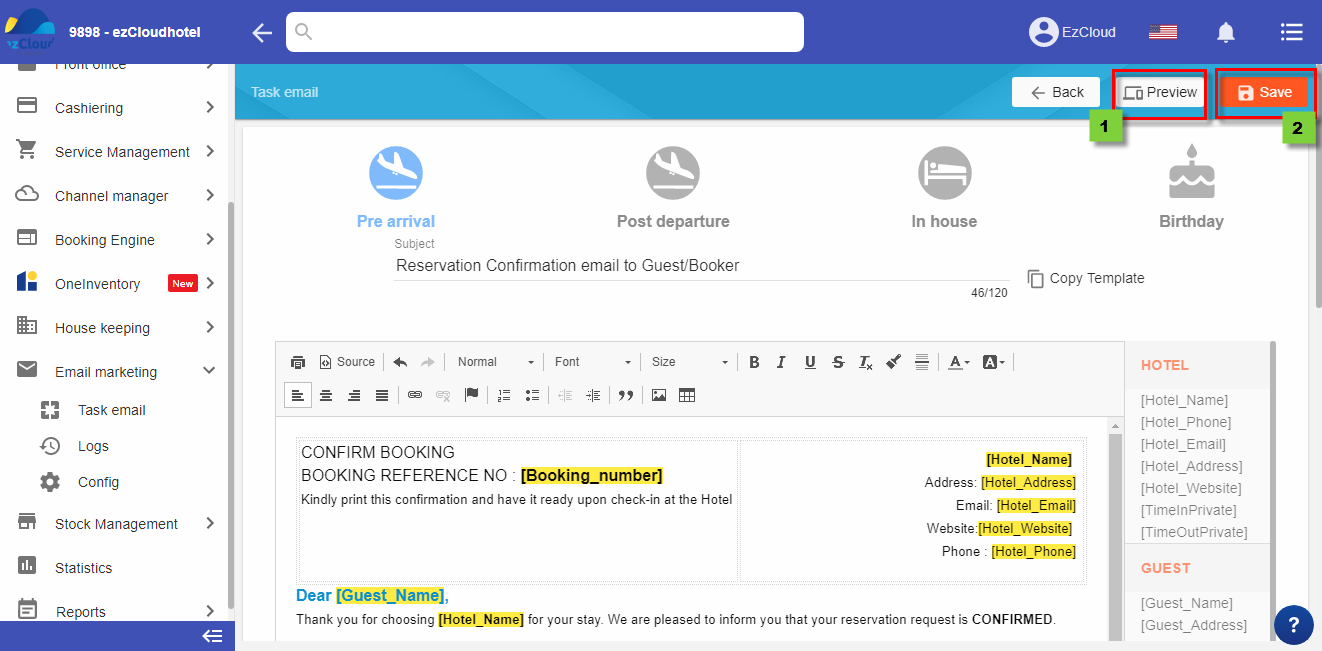
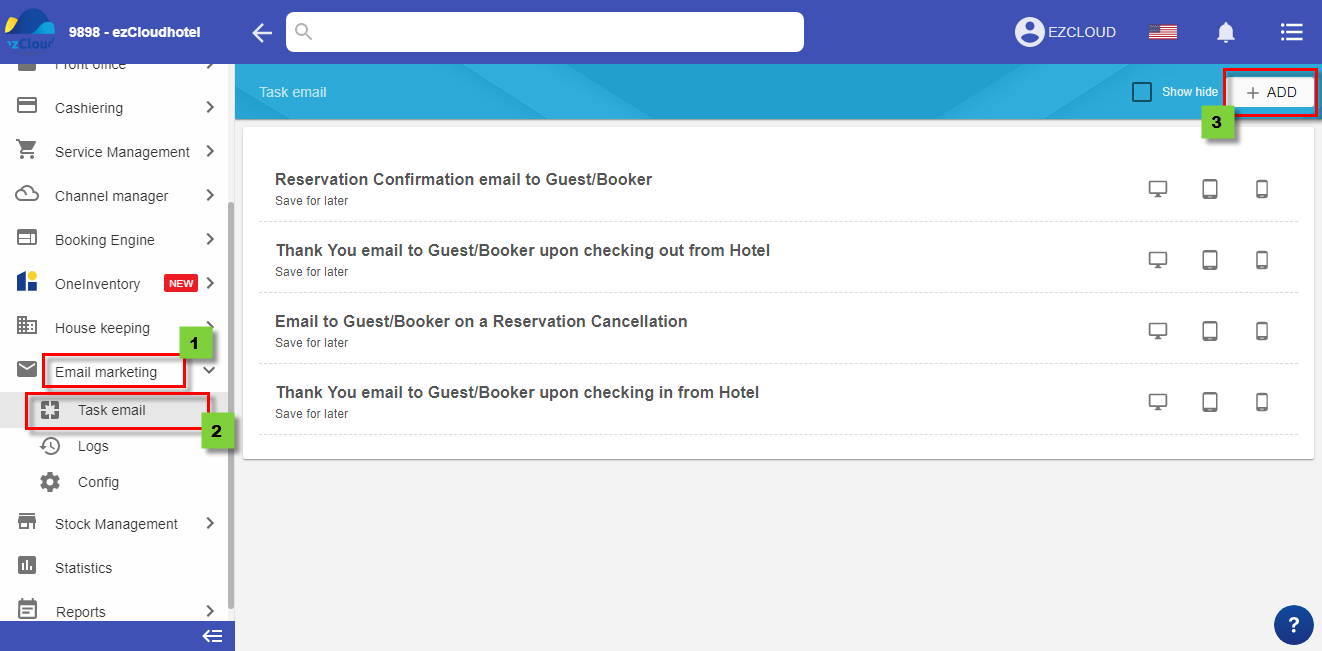
You can create sample or copy the available sample to modify as above
| HOTEL | |
| Hotel_Name | |
| Hotel_Phone | |
| Hotel_Email | |
| Hotel_Address | |
| Hotel_Website | |
| TimeInPrivate | |
| TimeOutPrivate | |
| GUESS | |
| Guest_Name | |
| Guest_Address | |
| Guest_birthday | |
| Guest_sex | |
| Guest_email | |
| Guest_Phone | |
| Guest_Note | |
| Guest_Country | |
| ROOM INFORMATION | |
| ArrivalDate | |
| DepartureDate | |
| Booking_number | |
| Booking_no_of_channel | |
| Note | |
| Price_room_per_night | |
| Adult | |
| Child | |
| RoomNo | |
| RoomType | |
| CompanyName | |
| NoOfNights | |
| BookingDate | |
| Deposite | |
| NoOfRooms | |
| ExchargeDiscount | |
| Currency | |
| Total_Group_price | |
| Total_Room_price | |
| PassCode_Lock | |
| Listroom |